View conversations
Open any conversation to see the email thread and any pending AI draft.
Written By ScaleFlows Team
Last updated 3 months ago
💡 Tip: Use this to review or manually manage ongoing conversations.
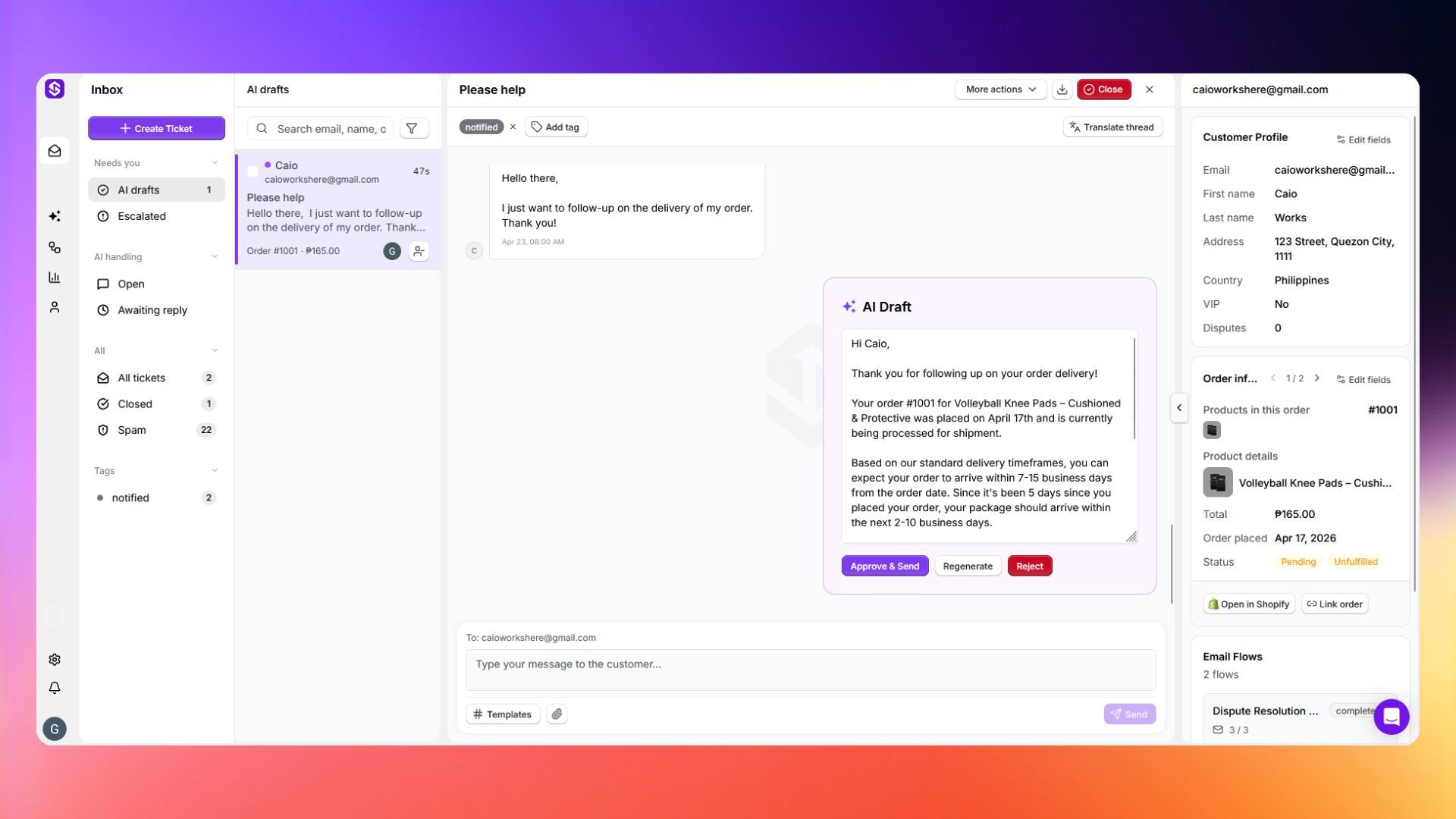
You will see:
- The full email thread (all messages in order).
- Customer and order information on the right side.
- The AI draft (if one is pending) at the bottom.
💡 Tip: The customer and order panel on the right pulls data directly from your connected store. If it's empty, check that the customer exists on your Shopify and that your store integration is set up correctly.
Was this helpful?
Still need help? Ask the team