Add billing and tax details
Update your business name, tax ID, and address.
Written By ScaleFlows Team
Last updated 3 months ago
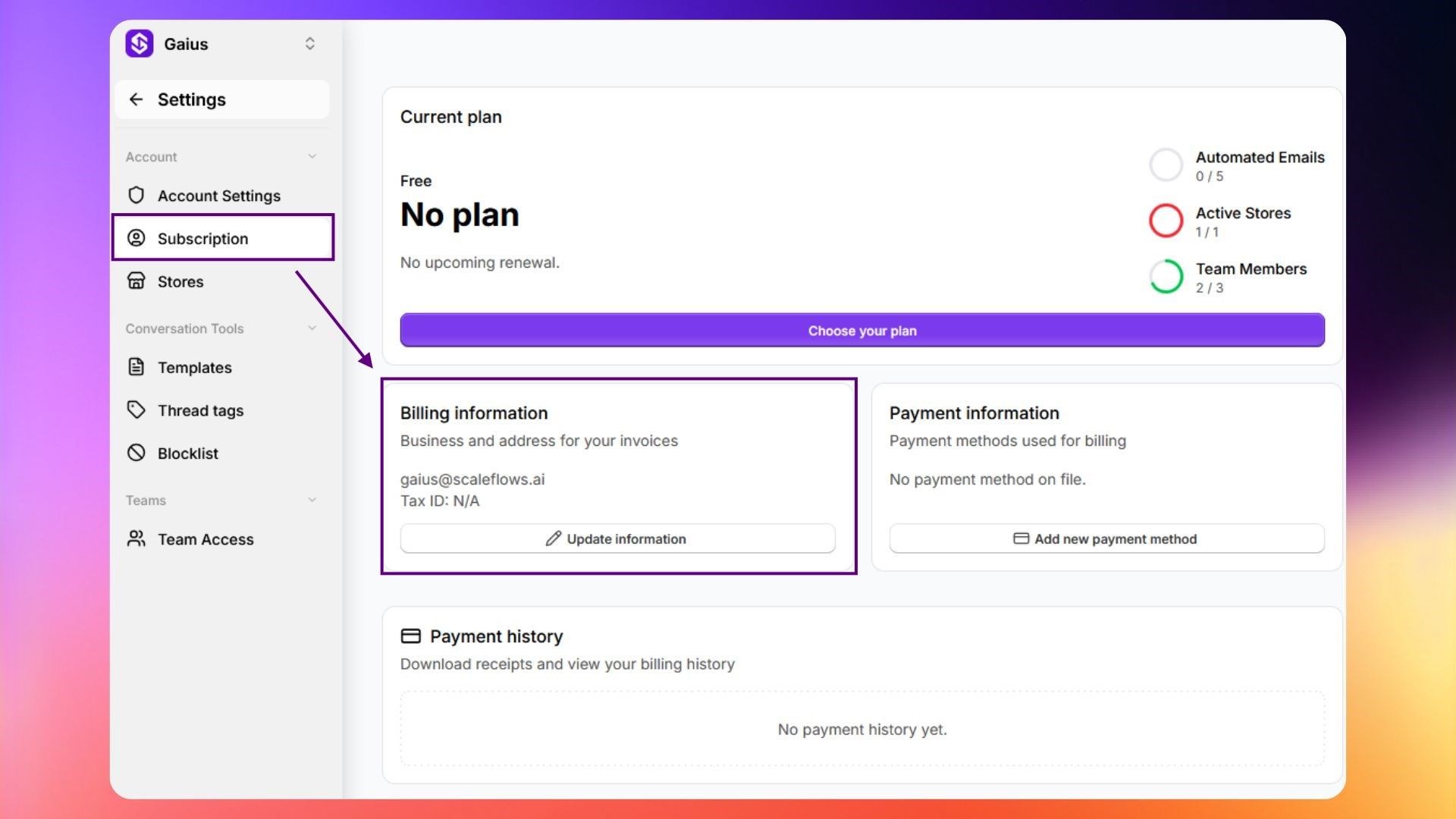
Step 1. Go to Settings → Subscription.
Step 2. Under Billing information, click Update information.
Step 3. Fill out the form, then click Save.
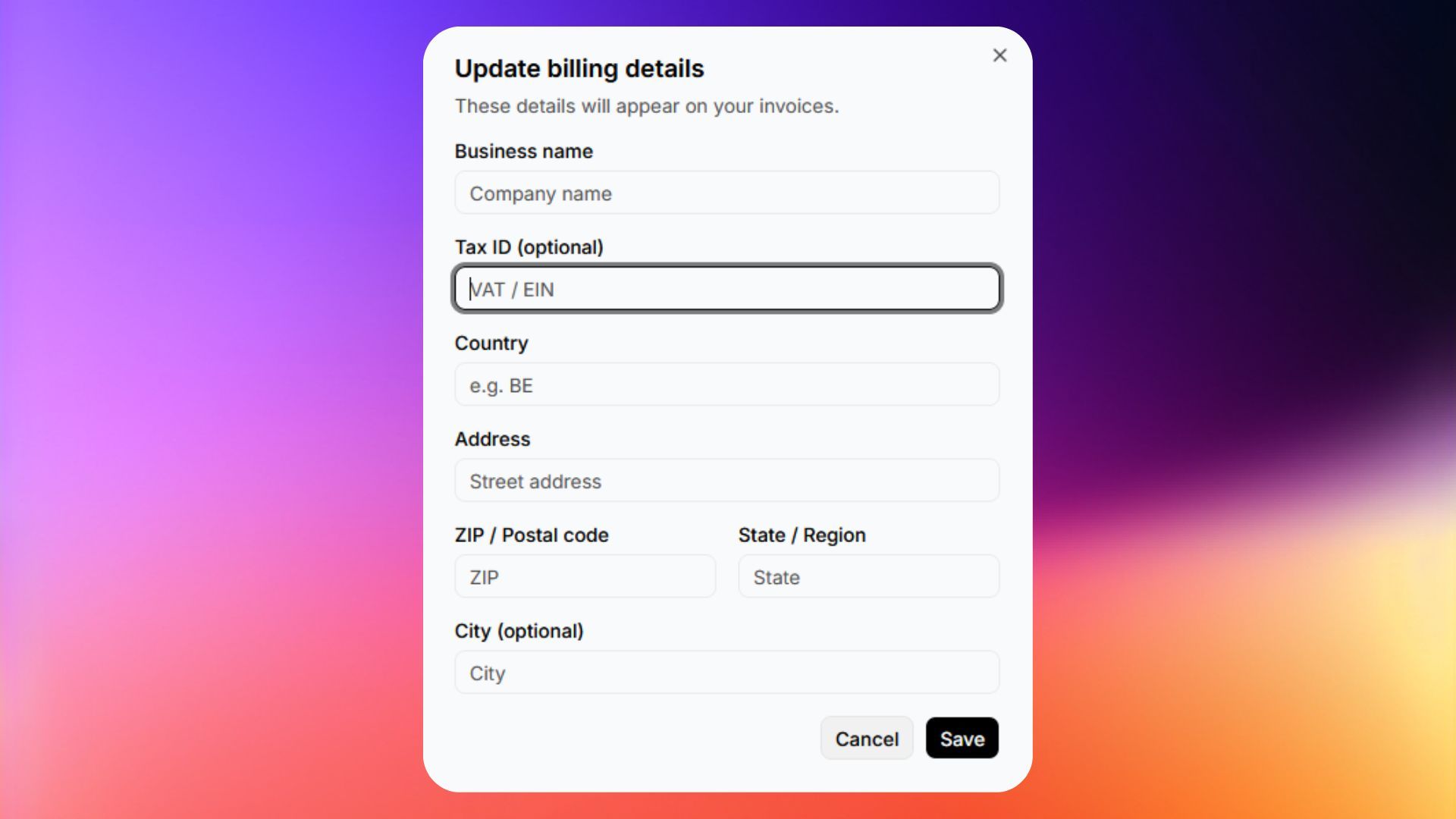
✅ Success: You have successfully updated your billing details. Refresh the page if needed.
Was this helpful?
Still need help? Ask the team