Setup a custom rule
Build a rule that pauses the AI or sends a template when a specific customer or order condition is met.
Written By ScaleFlows Team
Last updated 22 days ago
💡 Tip: Use this to take absolute control over complex scenarios in your business.
Video Guide
Text Guide
From your Dashboard:
Step 1. Go to Escalations.
Step 2. Under AI Safety Rules, click on Create custom rule.
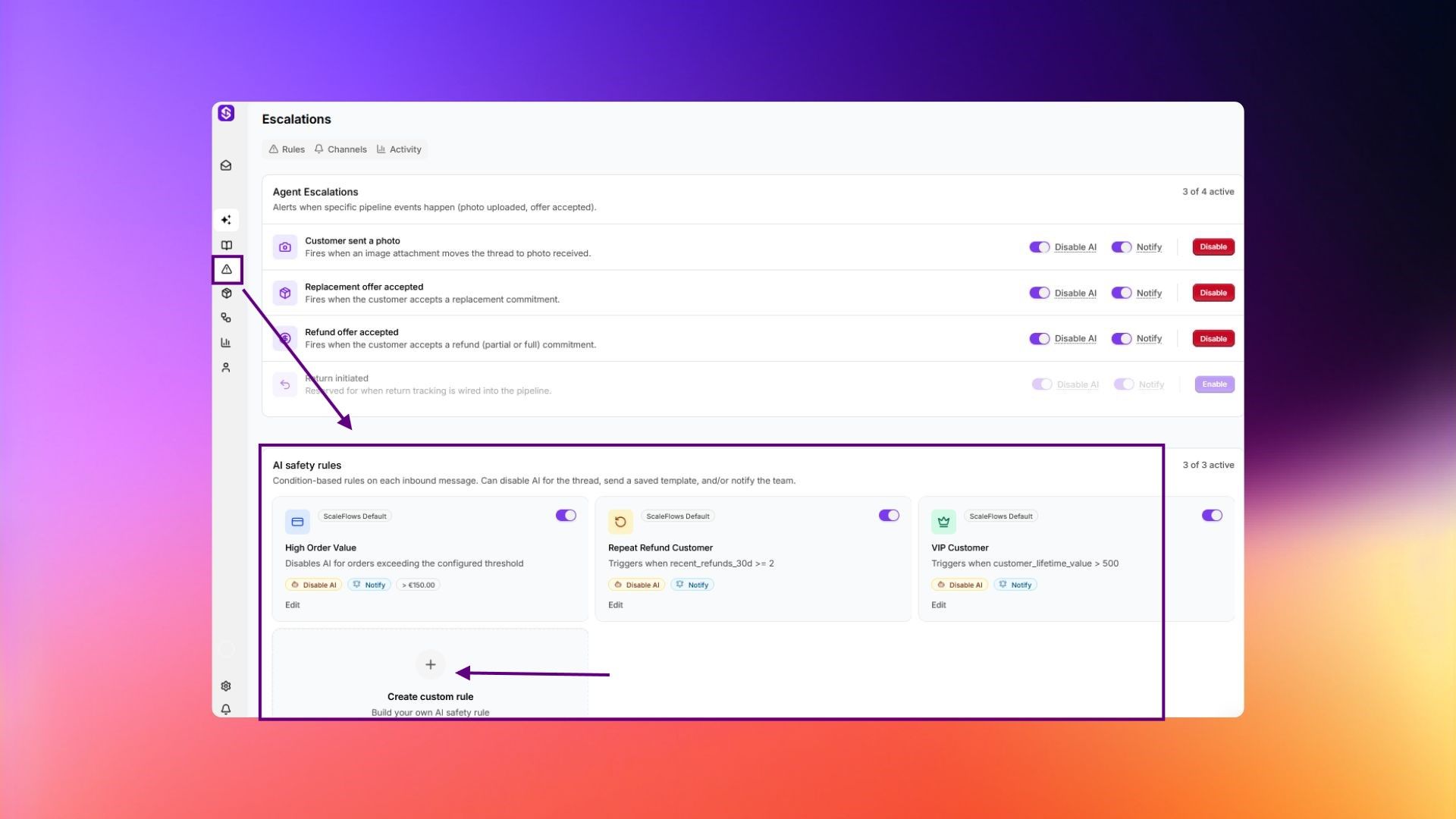
Step 3. Configure the details of your custom rule.
💡 Tip: Combine multiple conditions to make rules more precise and match specific business scenarios. For example: customer message contains chargeback AND order value is greater than $100. This example avoids false positives from customers who mention the word casually.