Import Data
Import all conversations from other support tools like Re:amaze directly into your ScaleFlows inbox.
Written By ScaleFlows Team
Last updated 22 days ago
Step 1. Go to Settings → Stores → Import.
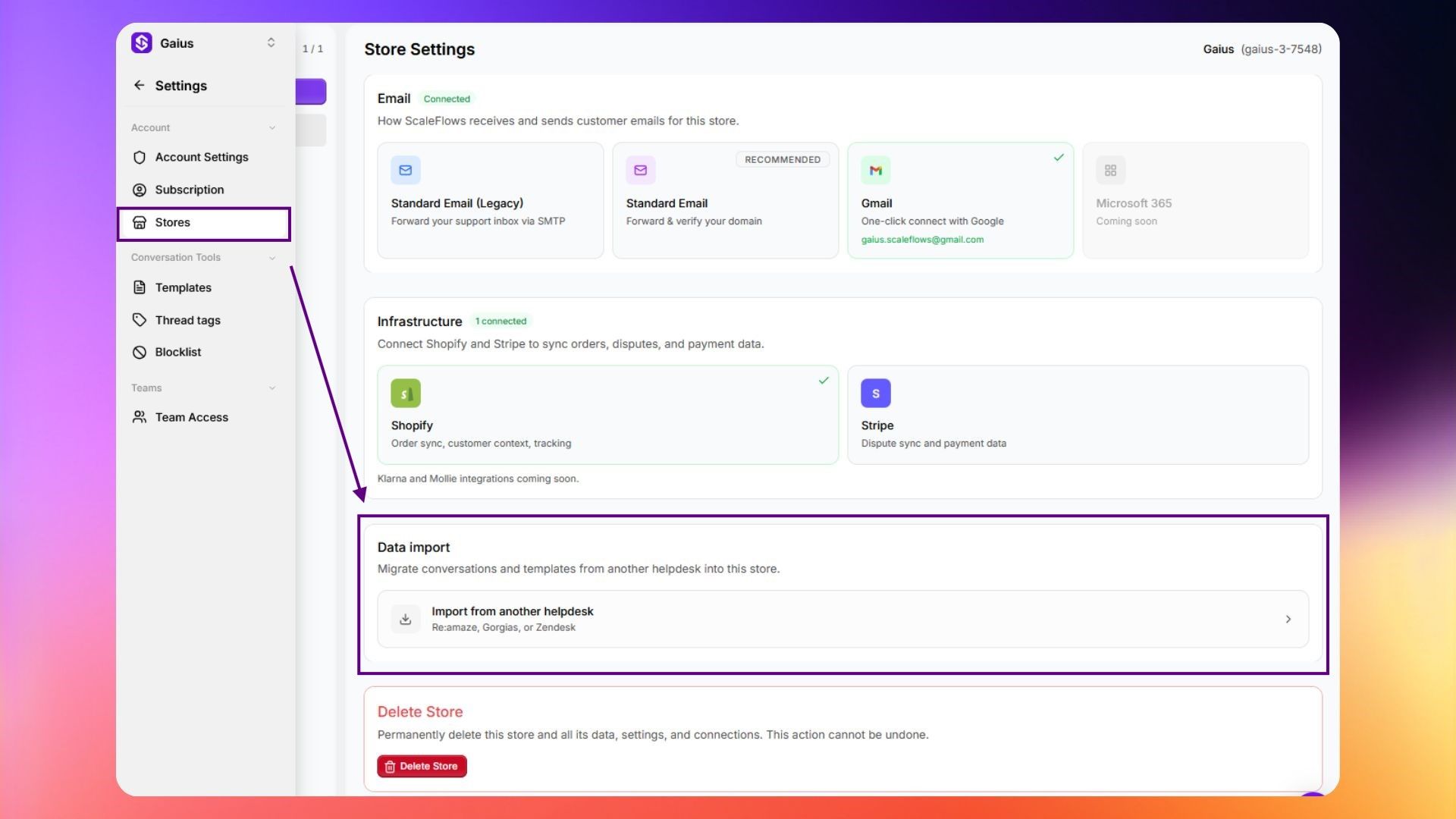
💡 Tip: If you have multiple stores, be sure to select the right one from the drop-down in the left panel.
Step 2. Choose the platform to import conversations from.
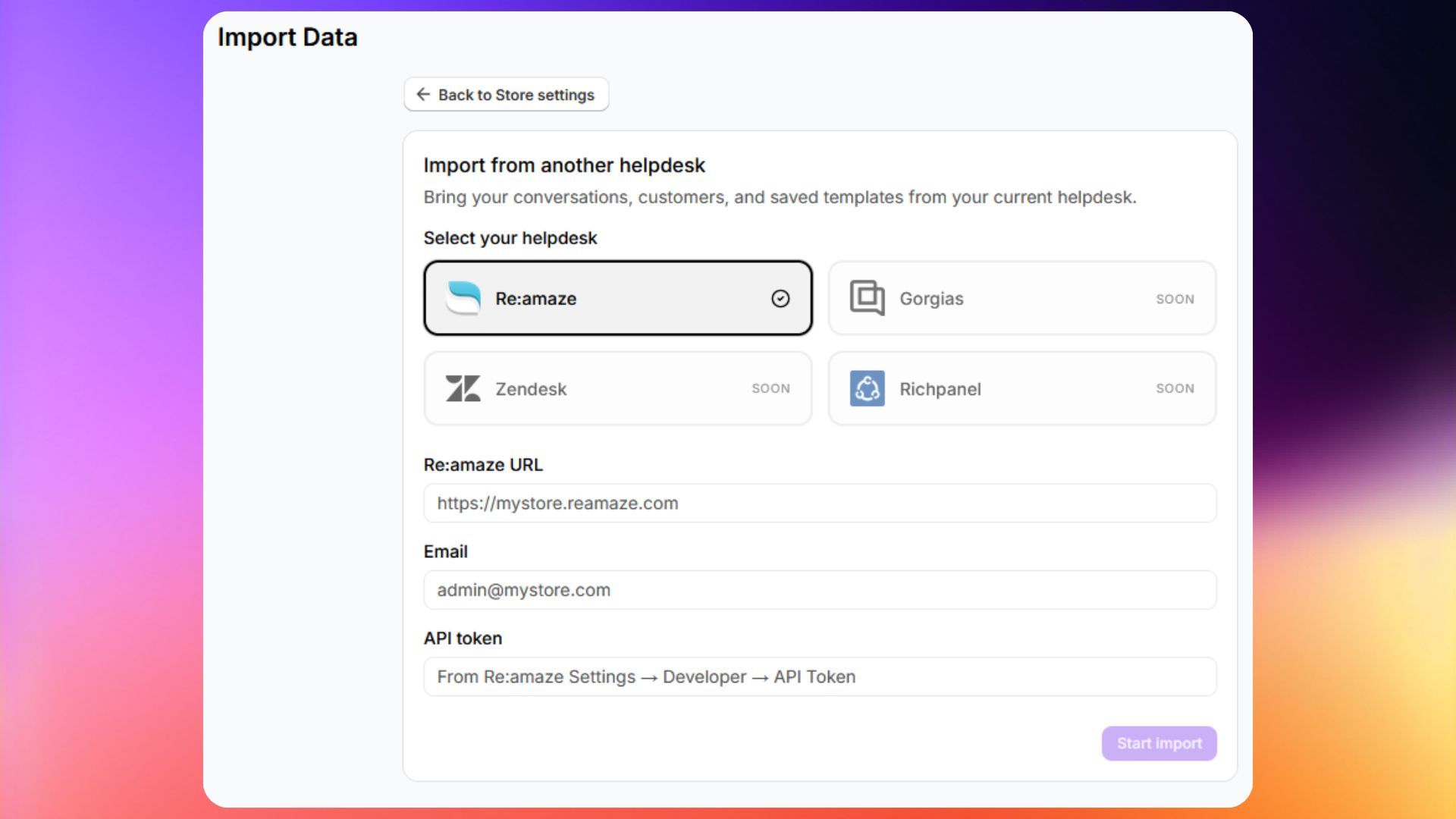
Step 3. Click Start Import.
💡 Tip: Large or multiple imports may take some time. You can track the progress of each import in the History section at the bottom of the page.
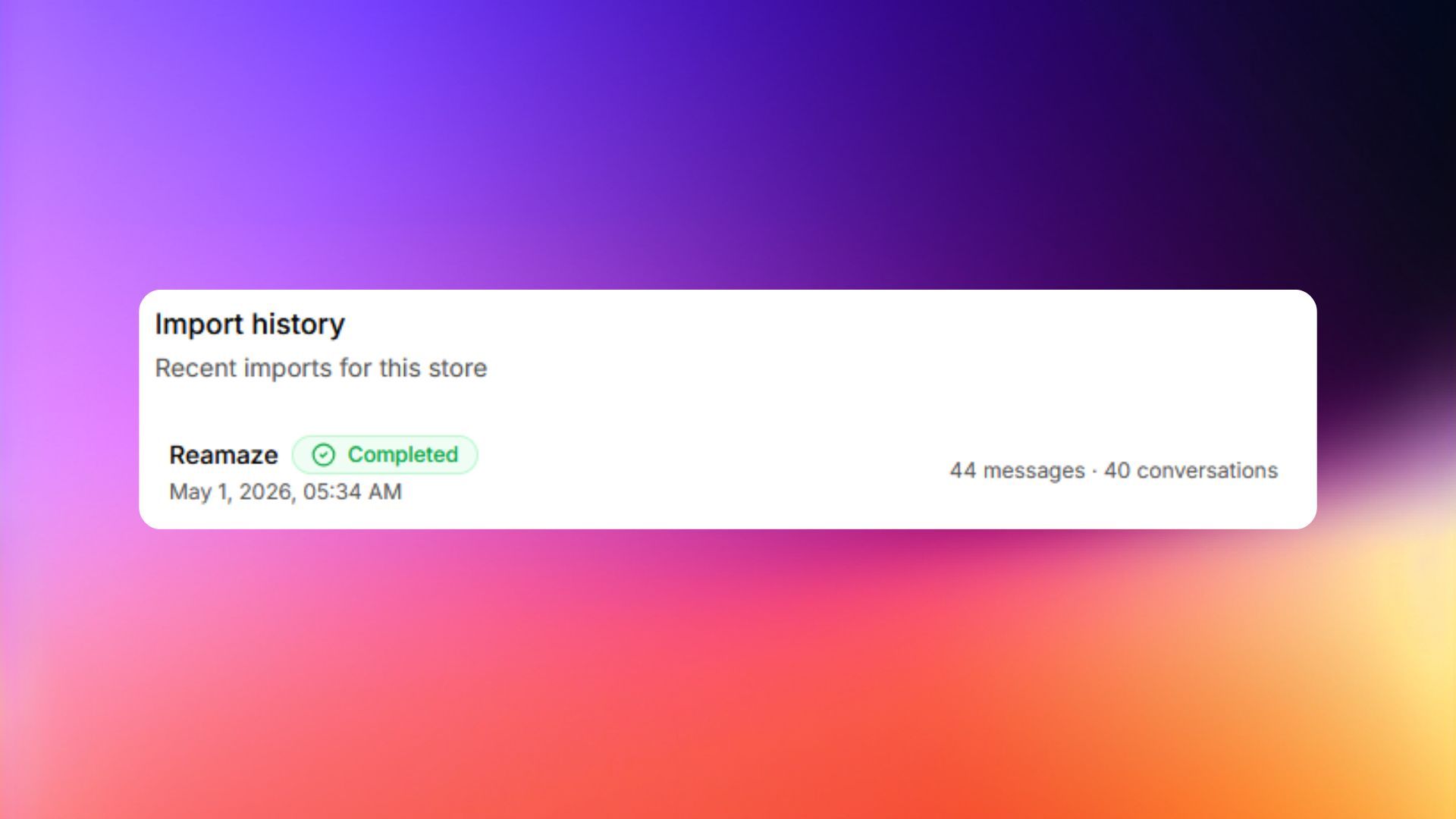
✅ Success: Once complete, your historical conversations will appear in the inbox.