Getting Started
🚀
Quickstart
1️⃣
Sign Up
2️⃣
Setup Your Store
🛍️
Connect to Shopify
3️⃣
Connect Your Email
✉️
Standard Email
📨
Gmail One-click connect
Workspace
📬
The Inbox
💬
View conversations
🗒️
Create a ticket
🧠
Review AI drafts
✍️
Write a reply
🗂️
Manage a conversation
🔍
Inbox Filters
🤖
AI Configuration
🎛️
AI Agent Setup
📏
Business rules
📜
Policies
🚨
Escalations
🎀
Custom Rules
📐
Setup a custom rule
📡
Channels
🎮
Discord
💬
Slack
📦
Products
🔁
Email Flows
▶️
Using email flows
📈
Analytics
👥
Contacts
Account Setup
🛡️
Account Settings
🔒
Forgot your password?
🏪
Store Settings
📄
Templates
🏷️
Thread Tags
🚫
Blocklist
🤝
Team Access
💳
Billing and Subscription
🧾
Add billing and tax details
📥
Import Data
Resources
⏩
Email Forwarding
🌐
DNS Records Setup
⭐
ScaleFlows Best Practices
🗺️
Quick Reference
💬
Feedback
🗺️
Roadmap
📝
Changelog
    Home
  1. Workspace
  2. Create a ticket

Create a ticket

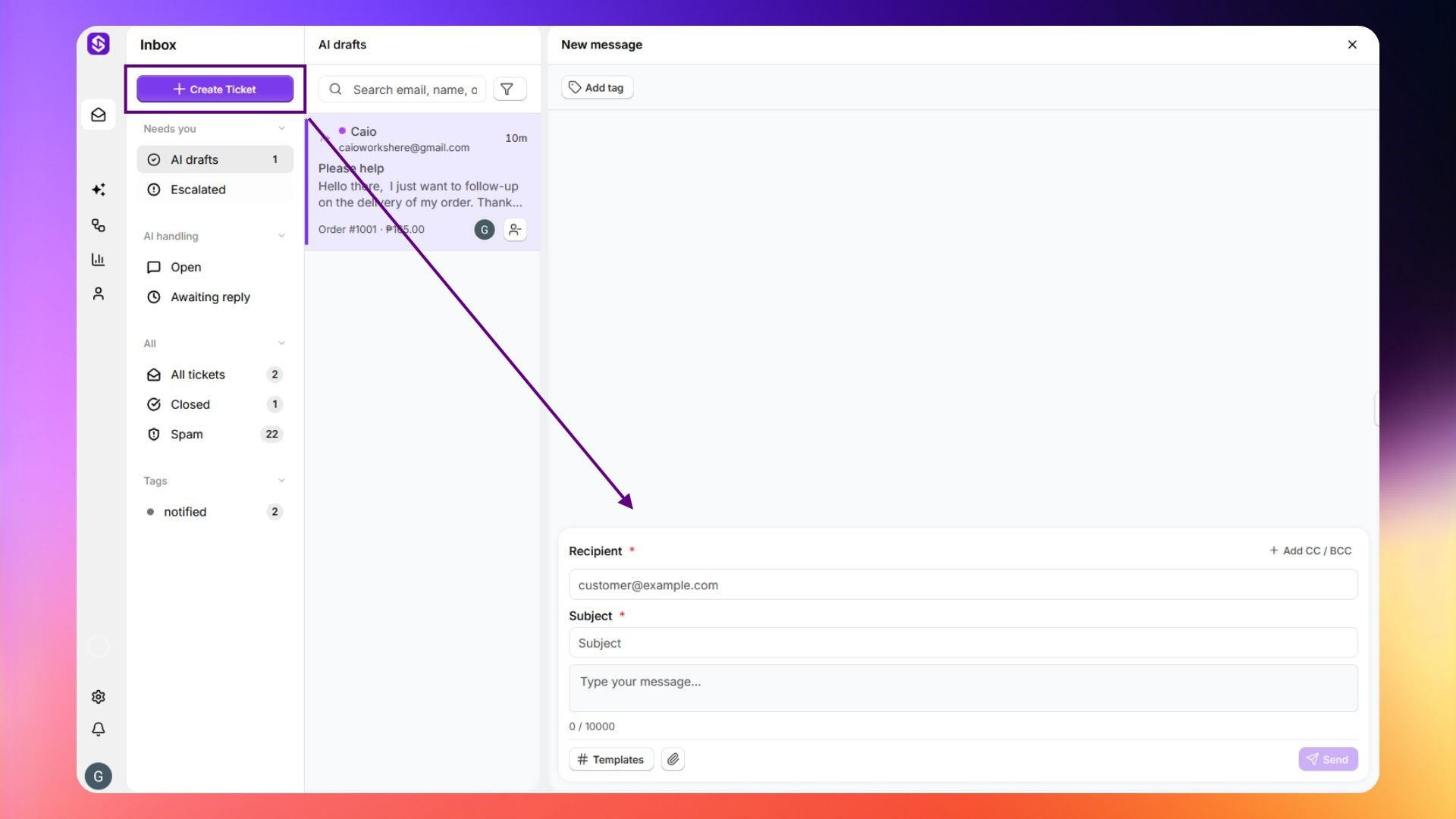
Manually start a new conversation from your inbox when a customer hasn't emailed in first.

Written By ScaleFlows Team

Last updated 22 days ago

💡 Tip: Use this when you need to reach out to a customer proactively.

  1. Click Create Ticket at the top of the sidebar.
  2. Fill in the recipient, subject, and message.
  3. Then click Send.
Create new ticket

Was this helpful?