Setup Your Store
After your first login, ScaleFlows will ask you to create your store so the AI knows which business it's supporting.
Written By Joaquin S
Last updated 22 days ago
💡 Tip: Use a dedicated support email for your store, preferably on your custom domain.
Step 1. Fill out the details.
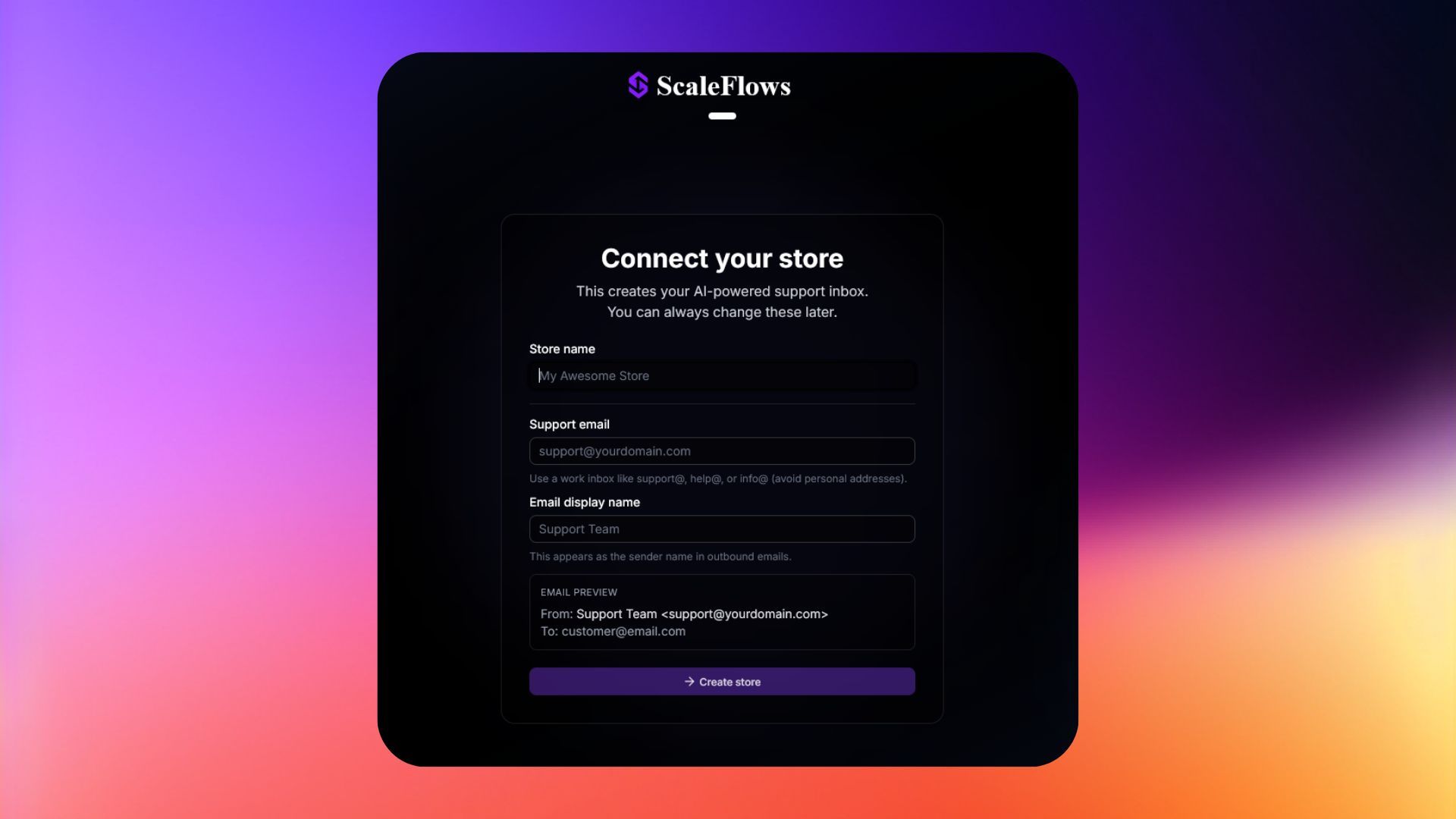
ℹ️ Info: Your support email is the address your customers write to. Make sure it's the same one you'll use in the later steps.
Step 2. Click Create Store. You'll be taken to your inbox.
Step 3. A setup checklist will appear at the top. Follow it to finish connecting everything.
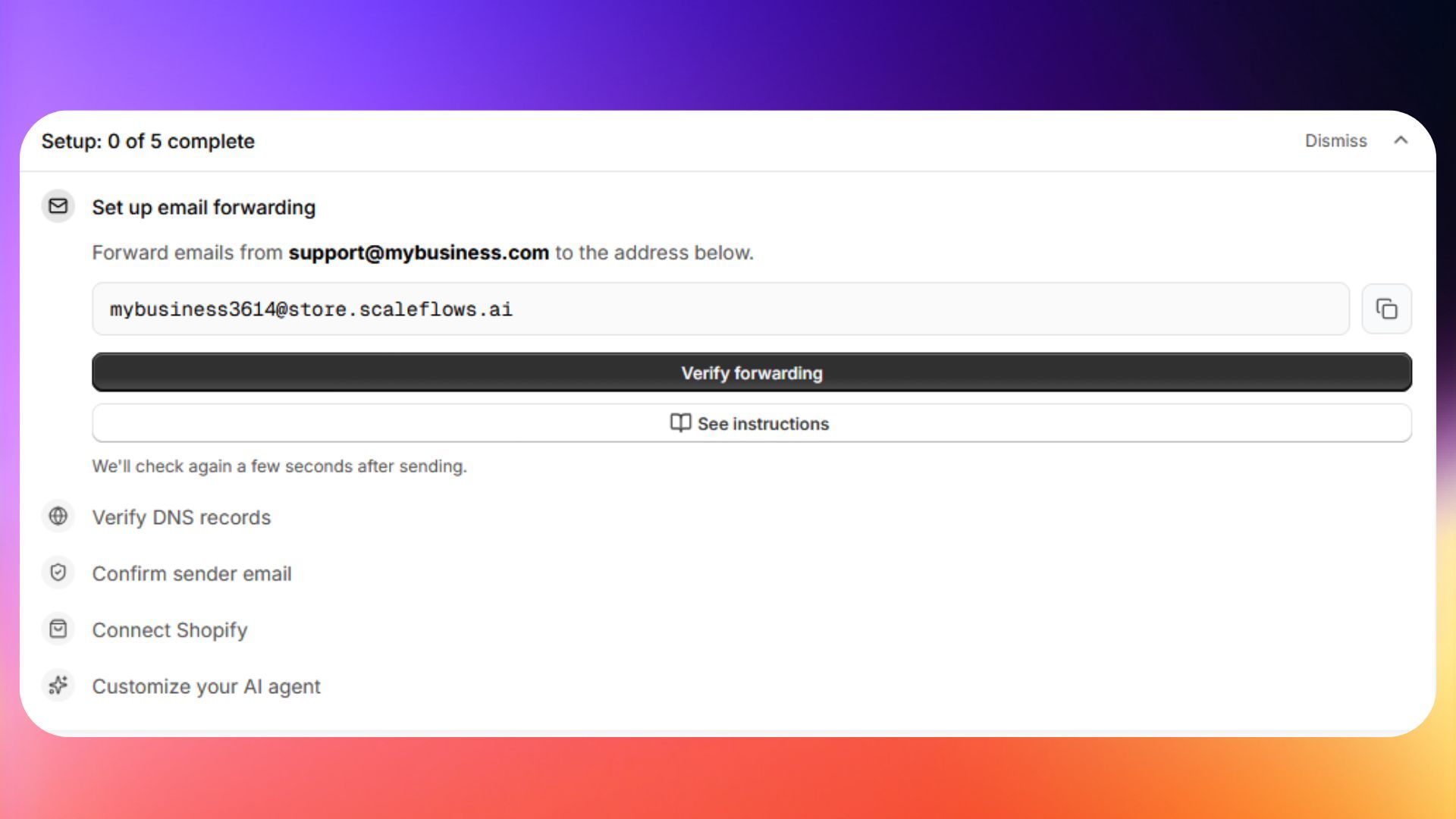
✅ Success: Your store is now created and listed on the Store Management page.
Next: Connect to Shopify.