Changelog

Follow new updates and improvements to ScaleFlows.

Teach your AI agent exactly how to handle specific questions

Your AI agent already handles most tickets well on its own. Now you can tell it exactly how to handle the questions that matter most to your store.

With Situations, you define custom intents and approaches. Whenever a customer asks something that matches a Situation, your agent answers it the way you want, every single time.

Save a Situation straight from a conversation

Spotted a question that comes in often, or one you want handled a specific way?

  1. Hover over the customer's message

  2. Click Save as Situation

  3. Define the approach your agent should take

From then on, every matching question gets answered with that same approach. No more inconsistent replies on refunds, shipping delays, discount requests or anything else you care about.

Manage everything in one place

Head to the new Situations page to create, edit and organise your Situations. Set the intent (what the customer is asking) and the approach (how your agent should respond), and you're done.

Test before you go live

Not sure how your agent will respond? Try it out in the Test AI Agent chatbox first. Send a test message, see exactly how your agent handles it, tweak the approach if needed, and only set it live once you're happy.

Why this matters

  • Consistent answers to your most common questions

  • Full control over how sensitive topics are handled

  • Zero risk: test everything before customers see it

Situations are live now for all ScaleFlows accounts. Open your dashboard and set up your first one today.
6 new feature updates!

Hey everyone! 👋

We've just shipped six new features to ScaleFlows. Together they help your team handle more tickets in less time, keep your inbox clean, and make sure you're covered when a dispute comes in. Here's the rundown.

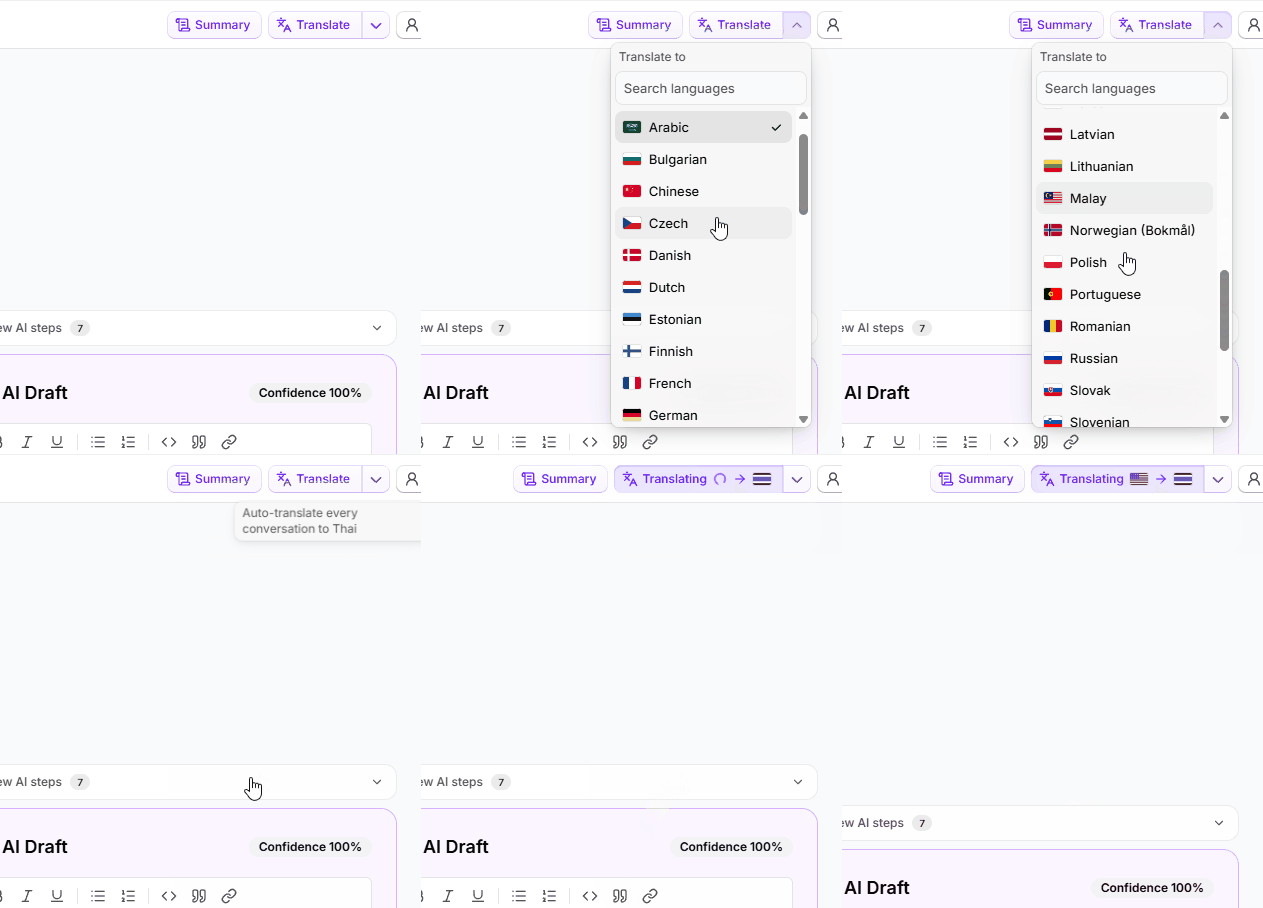
Auto-translation

Translation is no longer a one-click, English-only action. Toggle auto-translation on and every incoming message is translated automatically, with support for multiple languages including English, Dutch and Tagalog.

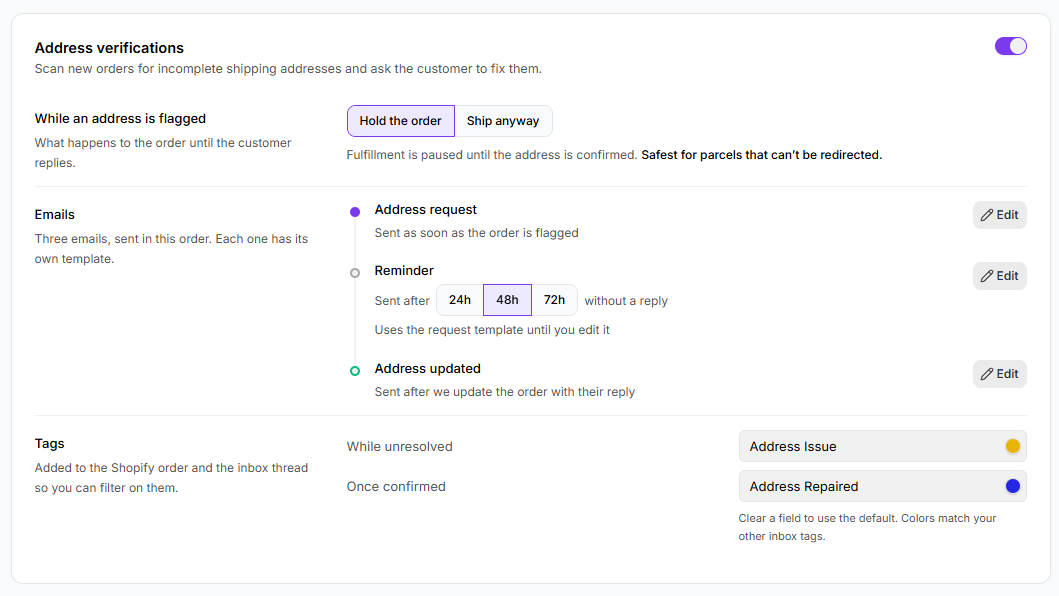
Address verification

When an order comes in with an incomplete address, ScaleFlows catches it right away:

  • The address is validated against the Google Maps API

  • The order is tagged in your Shopify dashboard

  • The customer automatically receives an address confirmation request

Once the customer confirms or corrects the address, the order is updated in Shopify immediately (as long as it hasn't been fulfilled). If they never reply, a follow-up confirmation is sent so you always have a documented communication trail to win disputes.

AI ticket summaries

One button generates a short, easy-to-read summary of the entire ticket context. Any agent can pick up a conversation without reading the full history.

Spam controls

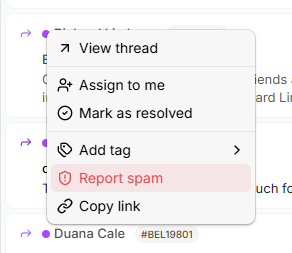
Spam filtering used to run fully in the background. Now you're in control: right-click any ticket to report it as spam, or unreport it if it was flagged by mistake.

Platform notifications

Working with ScaleFlows in the background? You'll now get notified when a new ticket arrives or a ticket gets answered:

  • Sound alerts in the browser

  • Push notifications on your device

  • Email to your personal account mailbox

No message slips through unnoticed.

Agent signatures

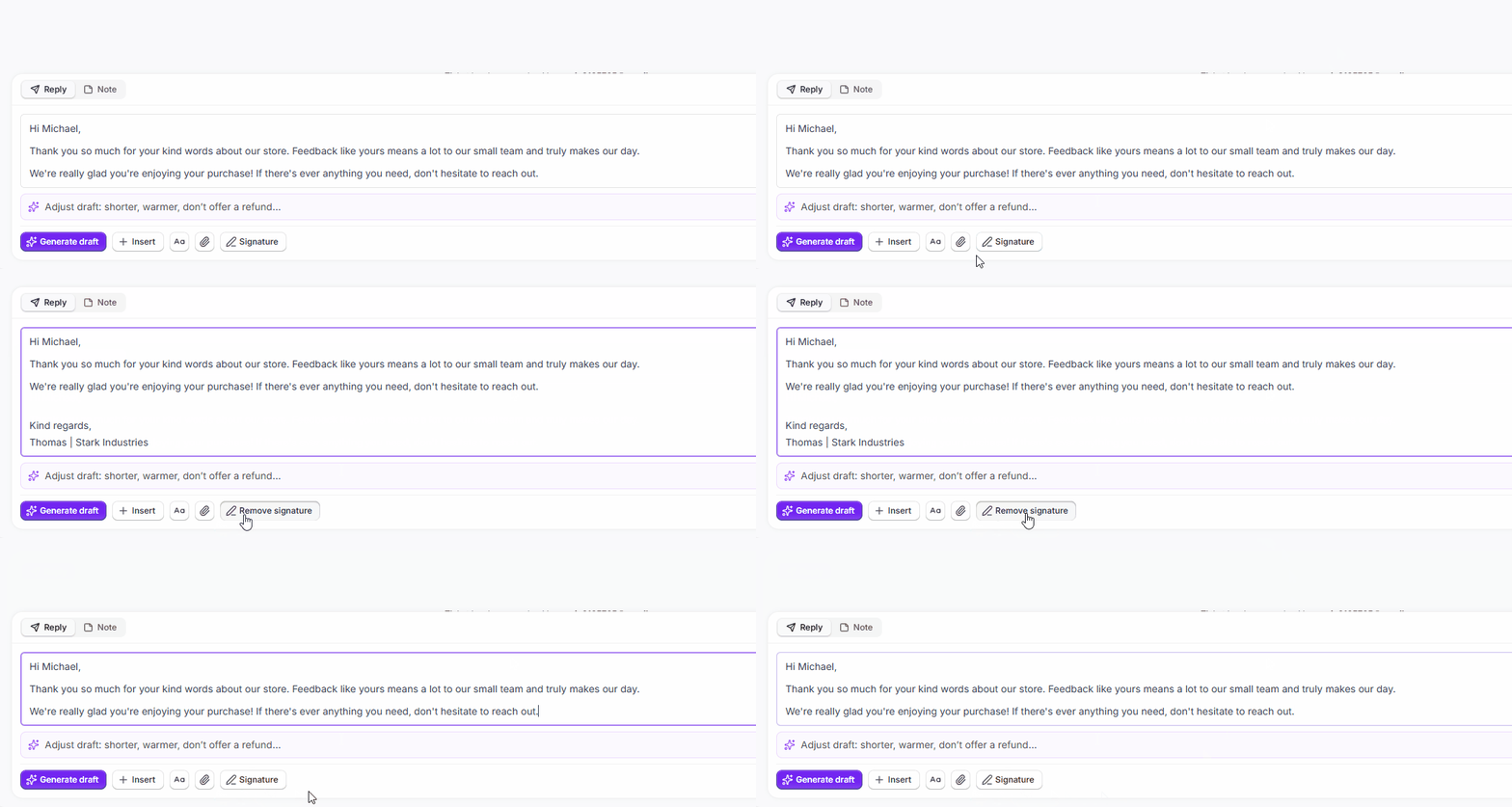
Writing a manual message? Hit the new signature button in the message composer and your configured signature is added at the bottom of the draft instantly. Faster replies, more professional messages.

That's it for now

All six features are live in your dashboard today. If something isn't working as expected or you have a feature request, let us know through the in-app chat or the feedback board. More is on the way.

Introducing the ScaleFlows Changelog

Starting today, every update we ship will be published right here in our changelog. New features, improvements, fixes: whenever we release something, this is where you'll see it.

And we're not launching an empty page. Here are the first two updates:

Personalised Inbox Views

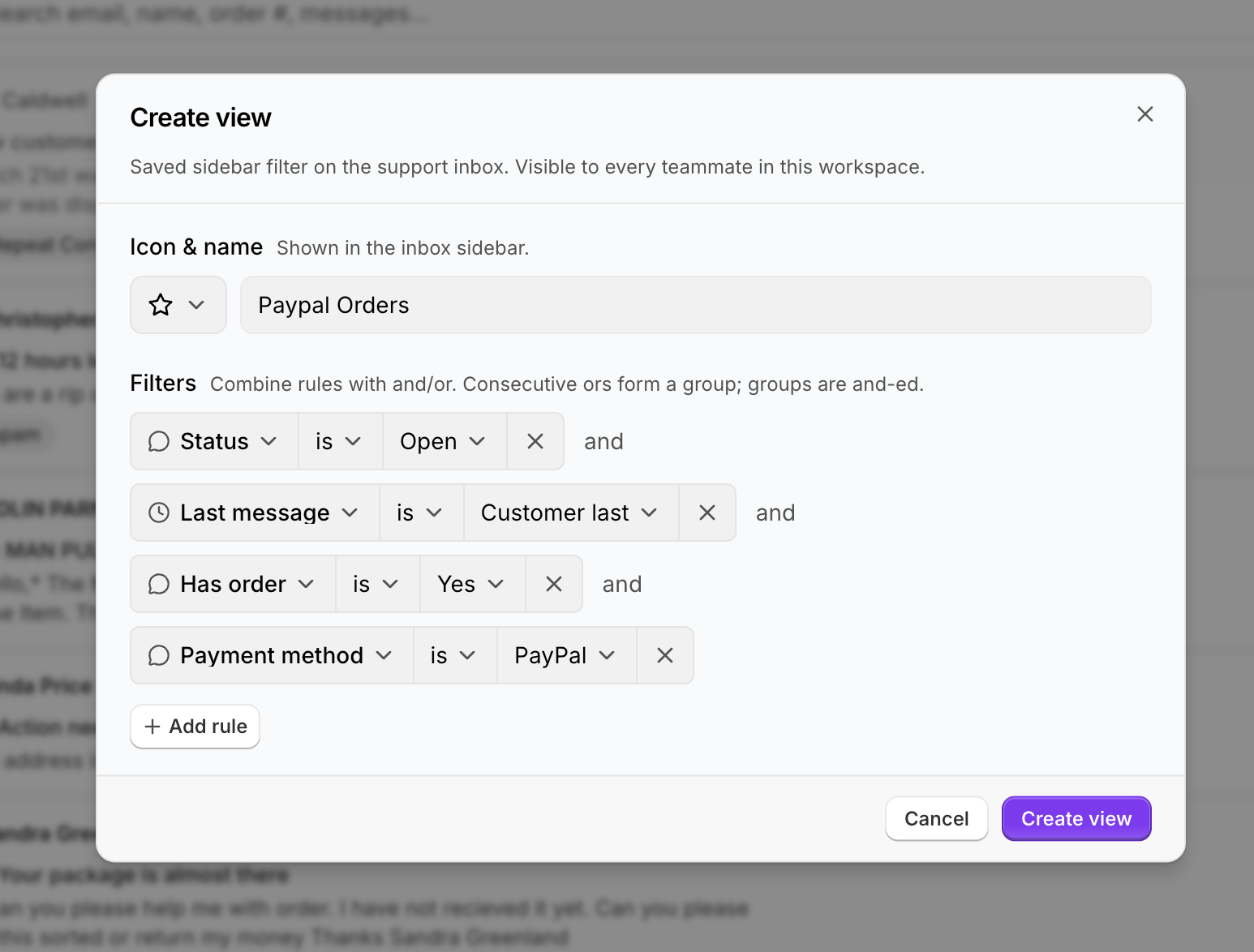
You can now build your own views in the support inbox. Stack filters with and/or logic: status, last message, has order, payment method and more. Give it a name and an icon, and it shows up in the sidebar for your whole team. Build it once, use it every day.

Create a custom inbox view using multiple filters

Rich text in message templates

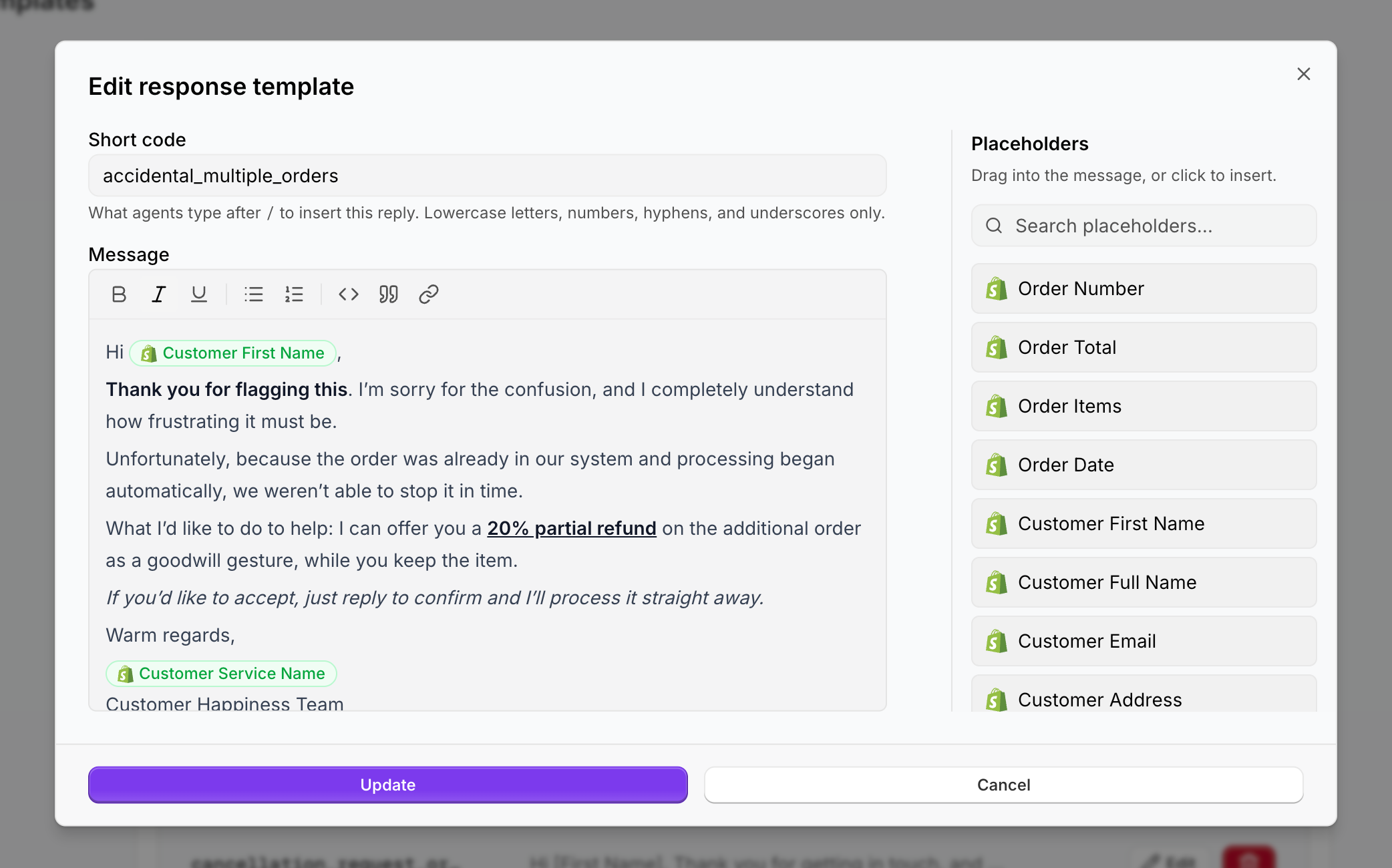
We upgraded the email template modal. You can now use rich text when creating your premade message templates: bold, italics, lists, links and more. Your templates can finally look exactly like the emails you'd write yourself, instead of plain text.

Create templates with dynamic placeholders to speed up your work

Want a feature that's not here yet?
Contact our support, we build what our merchants ask for.

  • The ScaleFlows Team