Billing and Subscription

Manage your current plan, billing, and invoices.

Written By ScaleFlows Team

Last updated 22 days ago

To manage your account's billing details, go to Settings → Subscription.
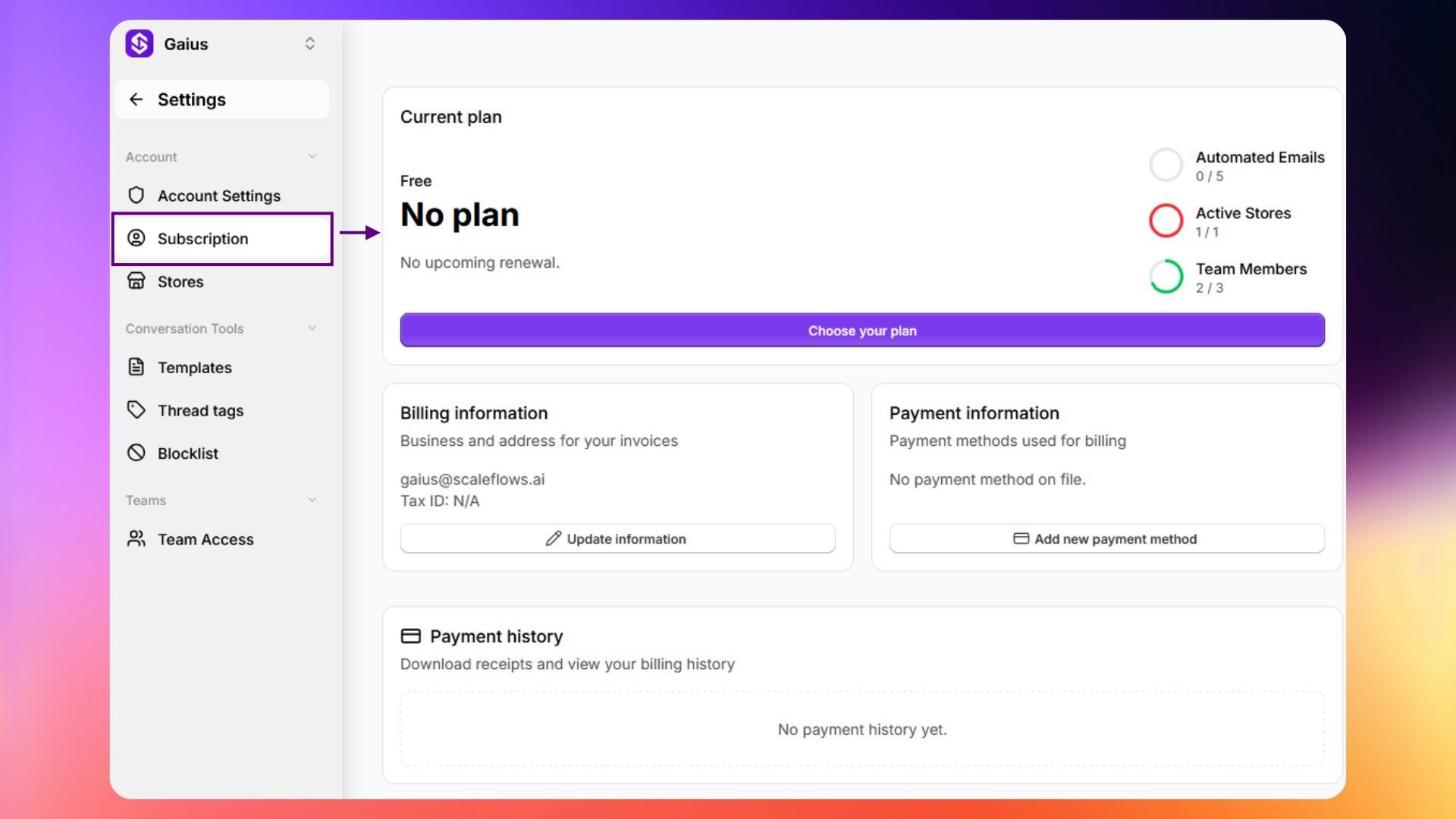
Subscription view

Here is what you can do on this page:

SectionDescription
Current PlanView your current plan and usage. See how many emails you've processed this billing period.
Choose your plan / Change planClick Choose Plan to see available plans and upgrade or downgrade.
Billing informationAdd your business name, tax ID, and address. See Add billing & tax details.
Payment informationAdd or update your payment method. Update billing details (company name, address).
View invoicesAccess the Stripe billing portal for full payment management.
CancelClick to cancel your subscription. Your access continues until the end of the current billing period.

ℹ️ Info: Canceling your subscription keeps your access active until the end of the current billing period.