Write a reply
Send a manual reply to any conversation directly from the message editor.
Written By ScaleFlows Team
Last updated 22 days ago
💡 Tip: Use this to send your manual replies, attach files, and use saved templates to answer customers directly.
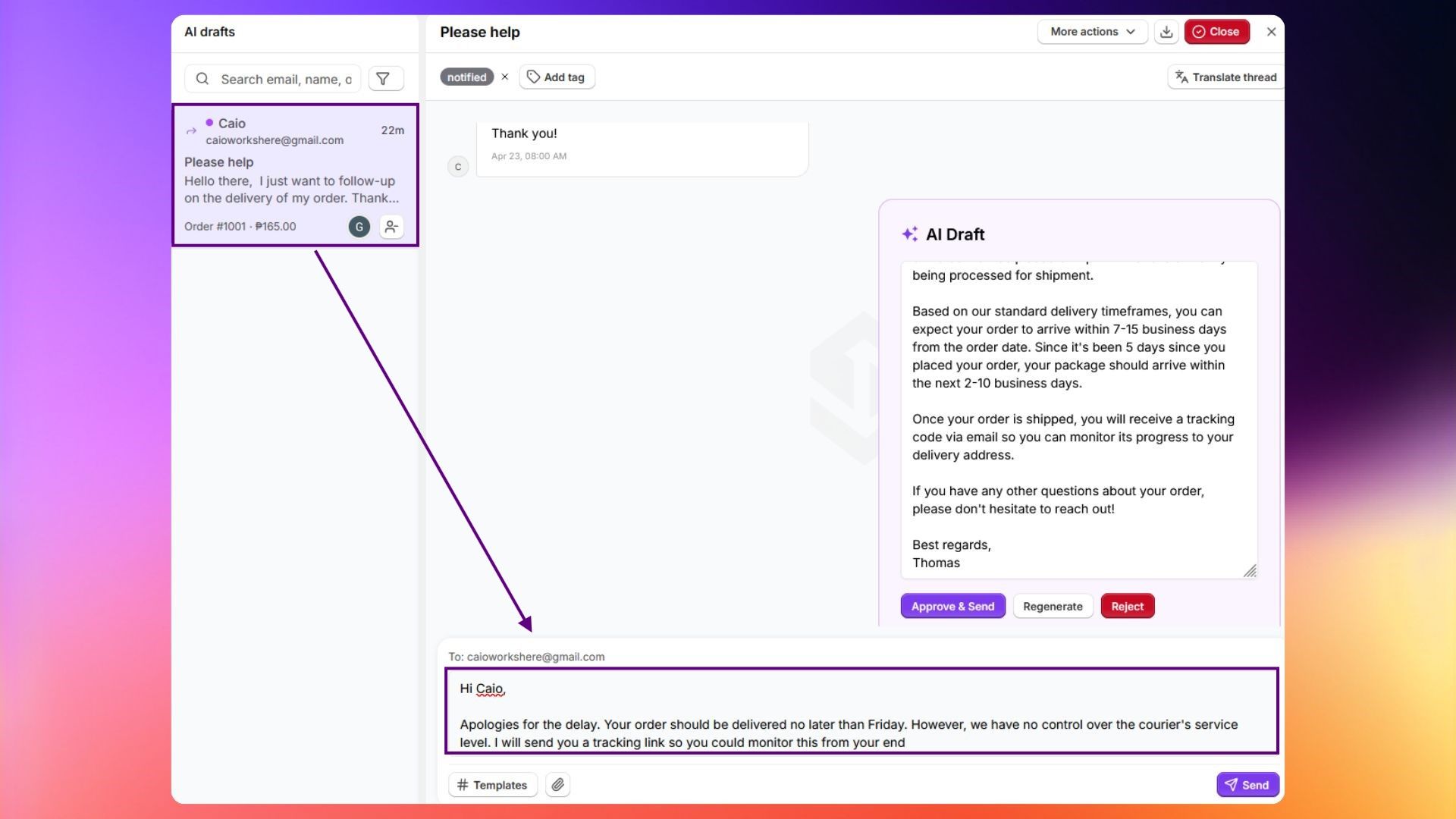
- Open any conversation.
- Use the message composer at the bottom.
- Type your reply. You can format text, attach files, and use saved templates.
- Click Send.
ℹ️ Info: Sending a manual reply to a conversation does not disable the AI. If you want the AI to stop handling a conversation, use Disable AI from the More Actions menu.