Using email flows
Enable, edit, and monitor your email flows.
Written By ScaleFlows Team
Last updated 22 days ago
Video Guide
Text Guide
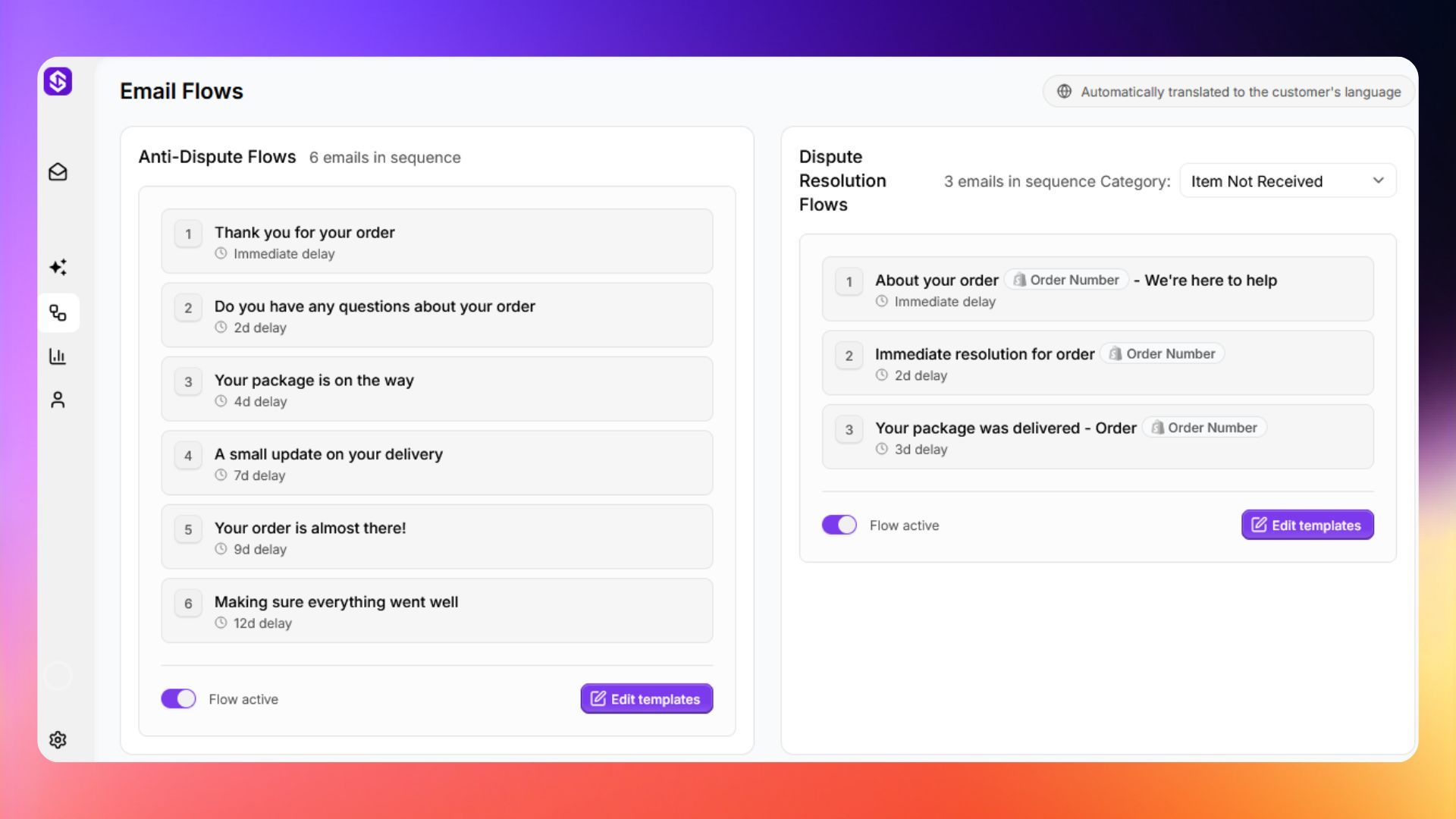
Step 1. From the sidebar, click Email Flows.
Step 2. To edit the Anti-Dispute Flow or any Dispute Resolution flow, click Edit templates.
💡 Tip: Write all templates in English. ScaleFlows automatically translates them into the customer's language.
Step 3. Toggle the flow on or off.
💡 Tip: Test your flows by placing a real test order before going live. Check that the timing, content, and translations look correct before real customers go through them.
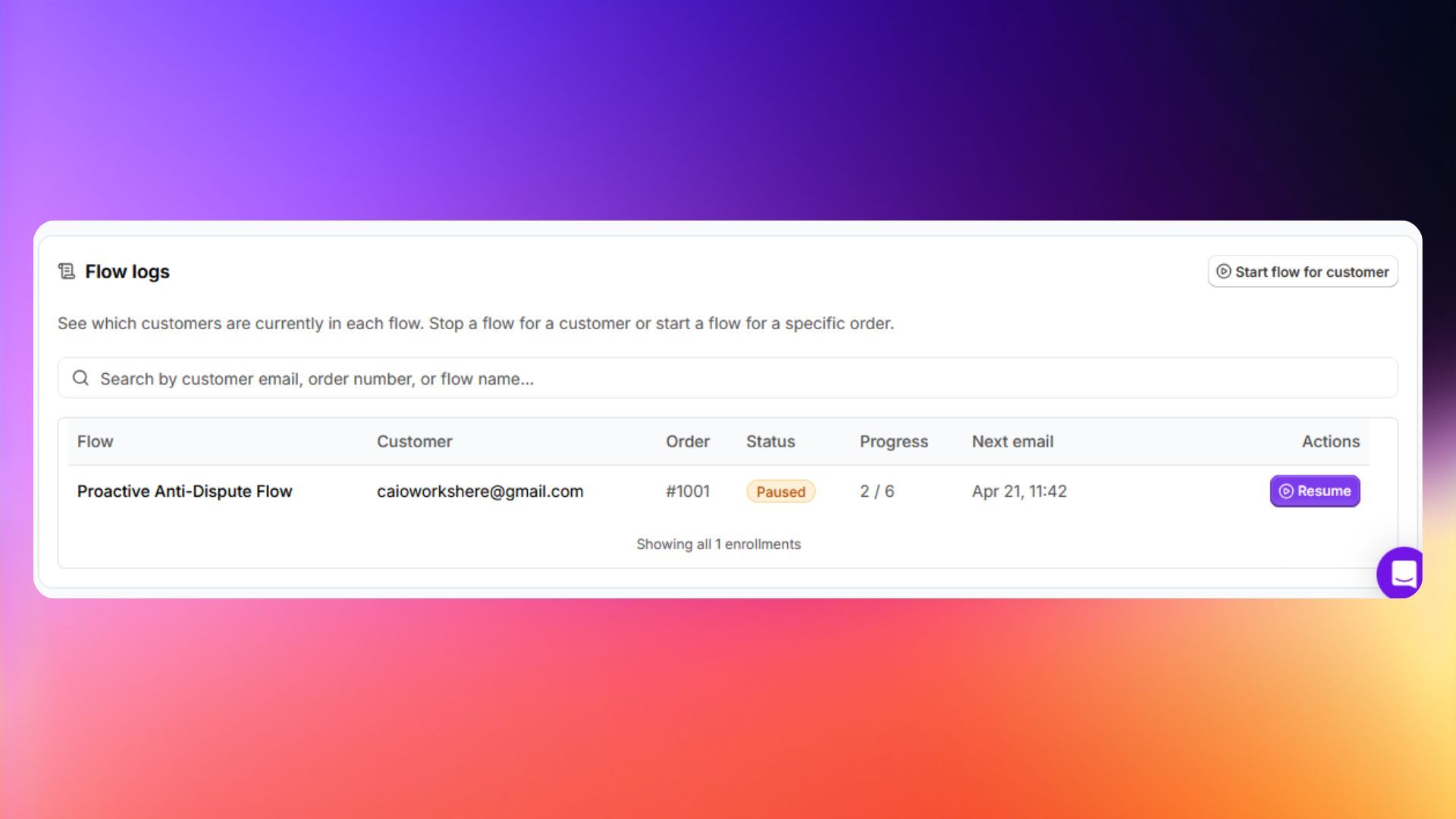
💡 Tip: View Flow Logs to see which customers are enrolled and what emails were sent. Emails are automatically translated to the customer's language.